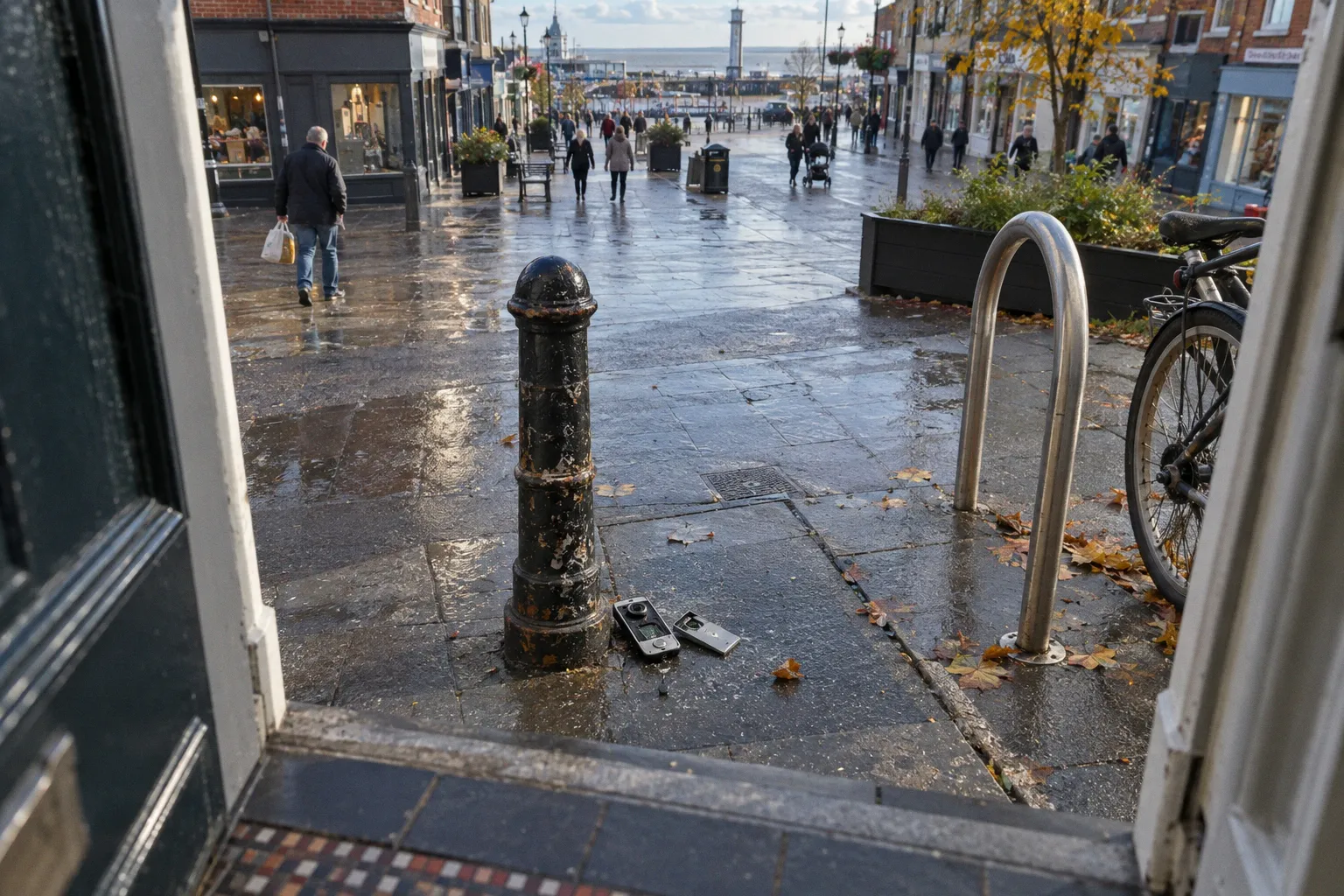
It is a networked computer mounted outside your front door, exposed to weather, tampering and anyone who can reach the casing.
The most obvious vulnerability is physical: the doorbell is installed within arm’s reach, sometimes with its reset button or mounting screws exposed. The less obvious weakness is digital. A cheap, poorly supported device may transmit Wi-Fi details in plain text, rely on weak cloud authentication, or allow a stranger to re-pair the hardware to another network in under a minute.
That combination creates a serious perimeter problem. The device intended to improve doorbell camera data privacy can become an access point into the home network, a source of private footage, or a way to learn when the property is occupied.
Smart doorbell security vulnerabilities and mitigation are therefore not just about choosing a stronger password. The job has two parts: harden the device itself and limit what damage it can do if the device fails.
Start with the physical access point
When I assess a front entrance, I begin outside and work inward. I do not start with the mobile app. The casing, mounting position and line of sight tell me how easily the device can be interfered with before any software is involved.
A doorbell camera usually sits in one of three positions:
- On the door frame, close to the handle and lock.
- On the wall beside the door, often at shoulder height.
- On a porch column or side return, where it covers the approach to the entrance.
Each position creates a different vulnerability.
A unit fixed directly to the door frame may have an excellent view of the path but can be reached by anyone standing at the threshold. A unit mounted on a porch column may cover more of the perimeter but may also be easier to remove without being seen from neighbouring properties. A device placed too high can resist casual tampering, but the camera angle may then lose faces and record only the top of a person’s head.
The first physical audit should cover five points:
1. Can the device be reached without climbing?
If the reset button, battery release or mounting screws can be touched from the ground, treat them as exposed controls rather than protected components.
2. Can the camera be blocked or turned?
Check whether a hand, coat, umbrella or piece of tape can defeat the lens. A camera that covers only the centre of the path may leave a blind strip beside the wall or gate.
3. Does the camera see the approach, not just the door?
The useful line of sight begins before a visitor reaches the bell. The approach from a gate, alley or side path should be visible where possible.
4. Is the device itself visible from the street?
Visibility can act as a deterrent, but an expensive-looking unit can also advertise that the property uses connected security equipment.
5. Are the fixings resistant to casual removal?
Standard screws are not a complete security measure. They only delay removal. The purpose is to prevent quick interference, not to make the unit impossible to dismantle.
The correct mounting position is a compromise between coverage and exposure. Put the camera where it can observe the access route, but do not leave its controls available to the person it is meant to observe.
A smart doorbell is part of the perimeter, but it is also a device placed on the perimeter. Secure both roles.
What recent investigations found in cheap doorbells
The danger is not that every smart doorbell is insecure. The danger is that budget hardware can look identical to a properly supported product while using a completely different security model underneath.
A Consumer Reports investigation published on February 29, 2024 examined cheap video doorbells sold under brands including Eken, Tuck, Fishbot and Rakeblue. The devices relied on the Aiwit mobile application and were found to have severe security weaknesses.
Testing showed that some user data, including the Wi-Fi network SSID and the user’s IP address, was transmitted over the air in unencrypted plain text. That is not a minor technical defect. The SSID identifies the home network. The IP address helps identify the internet connection used by the property. Together, they expose information that should not be broadcast openly by a security product.
The investigation also highlighted weaknesses in cloud access and device pairing. Some units could be physically reset and re-paired to a different Wi-Fi network by pressing a button on the hardware. In the reported cases, this could be done in less than a minute. Once taken over, the attacker could obtain device serial numbers and pull still images from cloud servers.
There are four practical vulnerability areas to consider:
- Data in transit: information travelling between the doorbell, app and cloud service may not be properly encrypted.
- Account authentication: weak or poorly designed login controls can allow unauthorised access to the account or application programming interface.
- Cloud storage: recorded images may remain accessible through poorly protected server endpoints.
- Physical hardware control: a reset button or exposed pairing process can allow the device to be claimed by somebody standing outside the property.
These are separate failure points. Improving one does not repair the others. A strong Wi-Fi password does not stop an attacker from using an exposed physical reset control. Two-factor authentication on the app does not protect a camera that has already been re-paired to another network. A secure router does not correct unencrypted data transmission inside the device’s own software.
This is why a product’s price is not the issue by itself. The issue is whether the manufacturer provides clear security information, regular firmware updates, a properly protected account system and a controlled reset process.
The warning signs before installation
A product should be treated cautiously if:
- The manufacturer is difficult to identify or has no clear support page.
- The device requires an unfamiliar third-party app with little documentation.
- The app requests access that is not explained.
- The product has no published firmware update process.
- The reset procedure is described as a simple physical button press with no ownership verification.
- The company gives no clear explanation of cloud storage, retention or account deletion.
- The same hardware appears under multiple unknown brand names with identical packaging and software.
None of these signs proves that a product is compromised. They indicate that the device may be difficult to maintain and difficult to hold accountable when something goes wrong. That is enough reason to reject it for a security-sensitive access point.
The reset button is a perimeter vulnerability
The physical reset button deserves special attention because it is easy to overlook. Manufacturers include it to simplify setup and recovery. From a security perspective, it can become an unauthorised transfer mechanism.
If someone can press the button, wait for the device to clear its settings and pair it with another network, the attacker may not need your Wi-Fi password at all. They are not breaking into the wireless network in the conventional sense. They are taking control of the camera before it reconnects.
This changes the physical audit. Do not ask only whether the device can be stolen. Ask whether it can be reset while still attached to the wall.
Examine the casing and identify:
- The location of the reset button.
- Whether it can be pressed with a finger, pin or narrow tool.
- Whether the button can be held down while the unit remains mounted.
- Whether the device gives a visible or audible warning when reset begins.
- Whether resetting requires account confirmation after the hardware is cleared.
- Whether the mounting plate can be removed without triggering an alert.
If the unit has an exposed reset control, move it higher, use a protective housing where compatible, or choose a model with a reset process that requires authenticated ownership. Do not cover the button with improvised tape or sealant if that prevents legitimate maintenance and does not stop the button being pressed through the covering.
The mounting plate also matters. A thief does not need to defeat a sophisticated alarm if the entire device can be pulled away from the wall. Use appropriate security fixings for the wall construction and make sure the cable, if present, cannot be accessed from outside. A loose cable can be cut. A removable battery can be taken. A doorbell that loses power without notifying you is not providing continuous perimeter surveillance.
Physical security is about delay and detection. The aim is to make interference visible, inconvenient and less profitable than moving on to an easier target.
Network isolation limits the damage
The most effective technical measure for securing smart home entry points is network isolation. Put the doorbell on a separate guest network or VLAN rather than placing it beside laptops, work devices, phones and storage systems on the main home network.
This does not make an insecure doorbell secure. It creates a boundary around it.
If the device leaks credentials, is taken over through a cloud weakness or contains a software defect, isolation can prevent an attacker from moving directly to other devices. The doorbell should be allowed to reach the internet only as far as its function requires. It should not have unrestricted access to every device inside the property.
A practical arrangement looks like this:
- Main network: phones, computers, tablets and work equipment.
- Separate smart-device network: doorbell, cameras, plugs and other connected household devices.
- Guest network: visitors’ phones and temporary equipment.
- Router administration: protected by a separate strong administrator password and two-factor authentication where available.
The exact configuration depends on the router. Some domestic routers offer only a guest network. More advanced equipment may support VLANs and firewall rules. Use the strongest separation your equipment supports without creating a system so complicated that it will be abandoned.
A separate network should also have a different wireless password from the main network. Do not reuse the password used for banking, email or work accounts. If a smart device exposes that password, the consequences are wider than the loss of the camera.
Authentication is not optional
Enable two-factor authentication on the doorbell account and the associated email account. The second account is often the real control point. If an attacker gains access to the email address used for the doorbell, they may be able to reset the device account even when the doorbell password is strong.
Use a unique password. A password manager is the practical solution because every connected device and service should have a separate credential. Do not use an address, street name, pet name or repeated household password.
Review the account for:
- Unknown logged-in devices.
- Old phones that still have access.
- Shared accounts that are no longer needed.
- Unrecognised recovery email addresses or phone numbers.
- Automatic sharing of footage with other users.
- Cloud subscriptions that remain active after a device is removed.
Two-factor authentication protects the account layer. It does not replace firmware updates or physical hardening. Treat each control as a separate barrier.
Firmware, encryption and cloud footage
A smart doorbell is only as secure as its update process. Before buying, find out how firmware is delivered and how long the manufacturer intends to support the product. A device that receives no security updates becomes a permanent vulnerability on the front wall.
Update the doorbell, its mobile app and the router. Do not assume that automatic updates are enabled. Check the settings after installation and again when the app changes. If the manufacturer stops providing updates, plan to replace the device rather than leave it connected indefinitely.
End-to-end encryption, where properly implemented, reduces the opportunity for intermediaries to view footage while it is being transferred. It does not solve every problem. If the account is compromised, footage may still be available to the attacker. If the camera itself is taken over, encryption between the device and server is not enough.
Cloud storage also needs a retention decision. Keep only what is useful. Long retention increases the amount of footage available if the account or server is compromised. If the system allows local storage with secure access controls, that may reduce dependence on a remote service, but it adds its own responsibilities: the storage device must be protected, maintained and backed up.
Review privacy settings with the same discipline used for the camera angle. Disable unnecessary audio recording if it is not needed. Limit shared access. Avoid pointing the camera directly into a neighbour’s home, private garden or an area where it records more public space than the entrance requires.
Good surveillance is targeted. A camera that records everything often creates more privacy exposure without improving the security of the access point.
A practical audit of the whole entrance
Carry out the audit in daylight first, then repeat it after dark. Lighting changes the line of sight, the visibility of the device and the usefulness of recorded footage.
1. Stand at the public approach
Look at the property as an opportunist would. Identify the path from the pavement, gate, alley or parking area to the front door. Note where a person can stand outside the camera’s view.
Do not focus only on the door. The approach is where behaviour is visible. A person testing whether a property is occupied may never press the bell. The camera should cover the likely pause points and the route away from the entrance.
2. Check the camera image from several heights
View the live image while standing at different distances. A camera that shows a clear face at the threshold may show only a hood or hat from the gate. Adjust the angle so the image records useful identifying detail without creating a large blind zone below or beside the lens.
Check the image in low light. Infrared illumination can reflect from nearby walls, glazing or porch surfaces and wash out the scene. Bright background lights can also turn a person into a silhouette.
3. Test the chime and alert delay
Press the bell from outside and measure whether the indoor alert is immediate enough to be useful. If the only alert goes to a phone, the system may be ignored when the phone is on silent, out of battery or left in another room.
A doorbell should not be the only detection method. It is one layer in the perimeter. Lighting, a visible house number, a secure gate and a clear line of sight still matter.
4. Inspect the device for physical controls
Locate the reset button, battery compartment, removable faceplate and mounting screws. Consider what can be reached from the pavement and what could be interfered with without causing visible damage.
If the unit can be removed quickly, the device should report loss of connection immediately. Test the notification. Do not assume that an offline alert exists or that it is enabled.
5. Review the router
Confirm that the doorbell is not on the same network as personal computers or work equipment. Change any default router credentials. Check for unknown connected devices and remove equipment that is no longer used.
If the doorbell requires access to a particular service, avoid opening unnecessary inbound ports on the router. Remote viewing should be provided through the manufacturer’s secured service or a properly configured virtual private network, not through improvised port forwarding.
6. Review the app and account
Enable two-factor authentication, update the password and remove old users. Check the privacy, recording and storage settings. Confirm where footage is stored and whether clips are automatically shared.
7. Re-test after making changes
Security controls are only useful if the device still operates correctly. After changing networks, enabling encryption or altering account permissions, test the bell, motion alerts, live view and recording. A technically hardened camera that does not notify the household is a false improvement.
Cheap hardware versus a supported security product
The purchasing decision should be based on the security lifecycle, not just the camera resolution or subscription price.
| Security feature | Higher-risk budget device | Better-supported device |
|---|---|---|
| Manufacturer support | Unclear ownership or limited documentation | Identifiable manufacturer with published support |
| Mobile application | Unknown third-party app with broad permissions | Established app with documented account controls |
| Data protection | Unclear encryption and cloud handling | Clear information on encryption and storage |
| Account security | Basic password-only access | Two-factor authentication and session management |
| Physical reset | Easily accessible button with simple re-pairing | Controlled recovery and ownership verification |
| Firmware | No clear update schedule | Regular updates and visible firmware version |
| Network placement | Often installed directly on the main home network | Suitable for isolated smart-device network |
| Privacy controls | Limited control over audio, sharing and retention | Adjustable recording and user permissions |
A major brand name does not automatically guarantee perfect security. It does, however, make it more likely that there is an accountable support channel, documented firmware process and clearer information about the product’s behaviour.
The cheapest device can become the most expensive option if it has to be replaced after a security flaw is discovered, or if a compromised camera exposes the home network and private footage.
The wider lesson for household security
Smart doorbell security should sit within a broader target-hardening plan. The doorbell is useful because it improves awareness at the front entrance. It does not replace a solid door, a properly fitted lock, a protected side gate or lighting that removes concealment.
A camera also has to be positioned within the physical design of the street. A gate that can be pushed open, a side passage hidden from neighbouring windows or a porch filled with visual clutter can undermine the benefit of a high-quality device. The perimeter should guide movement toward visible areas and make unusual behaviour easier to notice.
That means looking beyond the app:
- Keep the route to the entrance visible from the house and neighbouring properties.
- Avoid placing bins, furniture or large planters where they create a concealed standing point.
- Secure side gates so they cannot be lifted from their hinges or opened through a gap.
- Use lighting that covers the access route without creating glare into the camera.
- Make the house number visible so emergency services and visitors do not have to search.
- Mark valuable equipment and keep purchase details for insurance and recovery.
- Review the entrance after changes to fencing, planting or external lighting.
These measures are inexpensive compared with replacing a compromised network or dealing with a stolen device that has exposed private footage. They also remain useful if the doorbell fails, loses power or is deliberately avoided.
The immediate hardening sequence
If a smart doorbell is already installed, work through the following order:
1. Change the account password to a unique password and enable two-factor authentication.
2. Update the firmware and mobile application, then check whether the manufacturer still supports the device.
3. Move the doorbell to a guest network or separate smart-device network if it is currently on the main home network.
4. Inspect the reset button and mounting hardware from outside the property.
5. Test offline and tamper alerts by disconnecting power or interrupting the connection in a controlled way.
6. Remove old users and sessions from the account.
7. Check the camera’s line of sight in daylight and darkness.
8. Reduce unnecessary recording and sharing, including audio if it is not required.
9. Review cloud retention and delete old footage that no longer has a purpose.
10. Replace the device if the manufacturer cannot explain its encryption, update process, account controls or reset behaviour.
The proposed fine of nearly $735,000 against Eken in late 2024 shows that insecure video doorbells are not merely a theoretical concern. Regulatory attention is increasing, but enforcement arrives after products have already entered homes. The first decision still sits with the property owner.
A smart doorbell can be an effective deterrent and a useful surveillance layer. It can also be an exposed computer with a camera pointed at your front door. Treat it accordingly: secure the physical access point, isolate the network, protect the account, control the footage and remove any device whose manufacturer cannot explain how it prevents unauthorised access.